The Choicer Voicer Game
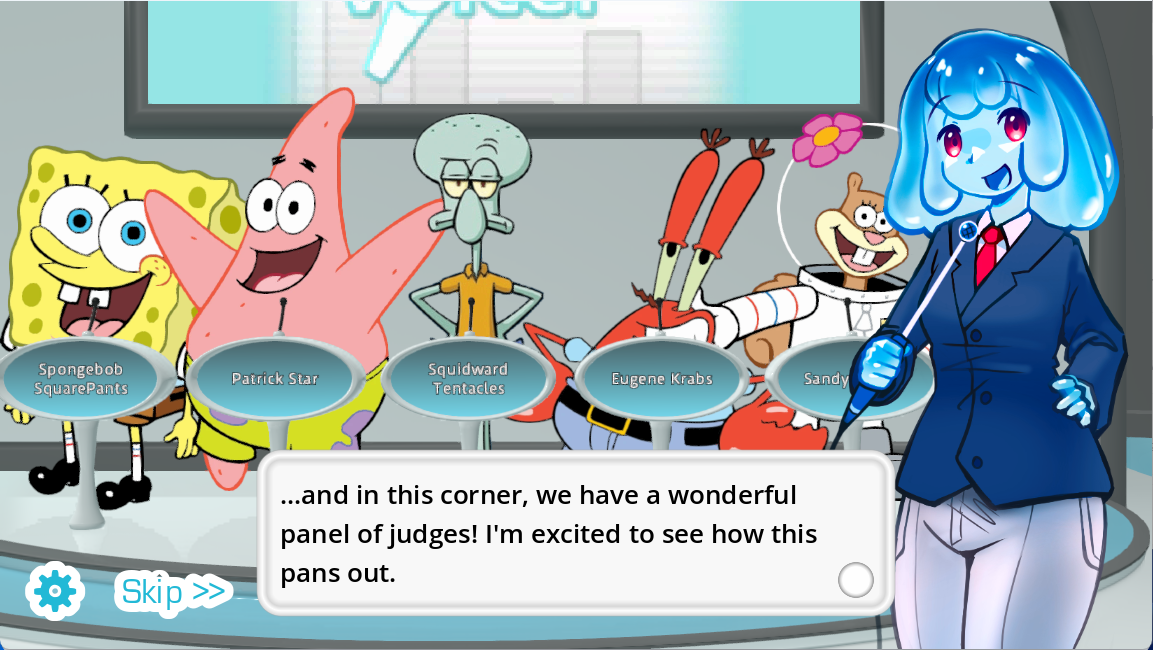
A browser stage for your voice
Choicer Voicer online turns timed dialogue into a playable voice-over challenge: study the reference, record your delivery, review the take, and build a finished video in one browser session.
Your first completed video is included at no charge. A single $5 Game Pass purchase opens lifetime online access, the complete Mod catalog, custom Mod uploads, and voiced-video downloads.
Open Choicer VoicerFrom cue to completed scene
How a Choicer Voicer online round flows
The game keeps the work focused: select material, learn its rhythm, capture your version, and turn the strongest take into a video you can keep after unlocking downloads.
-
Choose a Mod
Start with a scene that fits the mood you want to perform. The Mod supplies the dialogue structure and gives the round a clear creative direction.
-
Study the reference
Listen for the entrance, pause length, emphasis, and ending. Those small timing decisions give you a useful target instead of a blank recording screen.
-
Record each timed line
Use your device microphone to deliver the scene in your own style. Repeat a line when the pace or character is not yet where you want it.
-
Create the voiced video
Bring the selected takes together as a completed scene. Your first finished output is free, while the Game Pass enables ongoing downloads.
What the browser game brings together
Voice acting tools inside a playful dubbing workflow
Choicer Voicer is not just a microphone recorder. Its value comes from connecting a reference performance, timed scene structure, repeatable takes, Mods, and a finished video goal.
Reference-led performance
A source line gives you cadence and emotional shape to react to. You can echo it closely, exaggerate it for comedy, or deliberately reinterpret the scene.
Timed voice-over lines
The session breaks a scene into manageable moments, making timing easier to understand than recording a long track without visual cues.
Browser microphone capture
Use the microphone already connected to your phone, tablet, laptop, or desktop. A quiet room and a clear speaking distance matter more than elaborate equipment.
Mods as creative prompts
Different Mods change the material you perform. The variety helps a quick solo attempt feel different from a character session or a group challenge.
Custom Mod uploads
Game Pass access expands the library beyond built-in choices by allowing compatible custom material to enter your online workflow.
Finished video output
The round has a concrete destination: a complete scene using the takes you selected. Download access is included with the one-time lifetime unlock.
Cross-device access
A current browser makes the game reachable on iPhone, iPad, Android, Mac, Windows, Linux, and Chromebook without preparing a desktop install first.
Temporary processing data
Selected voice samples are transferred securely for rendering. The samples and temporary voice are removed after the processing step finishes.
Choose the right first session
Online play options at a glance
The best setup depends less on the operating system and more on what you want to finish. Use this table to match a goal with the browser workflow.
| Session goal | Useful game feature | What to prepare | Best next action |
|---|---|---|---|
| Try the full loop | One completed video is available without payment. | A current browser, microphone permission, and a few quiet minutes. | Pick a short Mod and finish one scene from start to render. |
| Practice voice timing | Reference audio and line-by-line recording create a repeatable target. | Headphones can make entrances and pauses easier to hear. | Change only one detail per retake: pace, energy, or emphasis. |
| Build with custom material | The Game Pass includes custom Mod upload access. | Prepare compatible scene material and review it before the session. | Unlock once, upload the Mod, then test a short section first. |
| Save ongoing creations | Voiced-video downloads are part of the lifetime Game Pass. | Leave enough device storage for the finished file. | Review each selected take before starting the final render. |
A voice game with several ways in
Who can use Choicer Voicer online?
The same scene can become practice, a party prompt, a creator asset, or a deliberately ridiculous performance. These cards show where the format fits.
Practice entrances and pacing
Short timed lines make it easier to notice rushed starts, flat endings, and pauses that do not match the scene.
Turn one clip into a challenge
Compare serious, dramatic, and intentionally chaotic readings without needing a complicated game setup.
Finish a shareable concept
Move from performance idea to voiced scene in one guided sequence instead of assembling unrelated recording tools.
Test a voice against real timing
A character choice becomes easier to evaluate when it must fit an existing line length and scene beat.
Record away from a desk
Use a recent mobile browser when a phone or tablet is the most convenient microphone and screen available.
Keep the format fresh
Browse different performance material, then expand into custom Mod uploads after unlocking the lifetime pass.
Clear answers before microphone access
Choicer Voicer browser facts
Know the price, device requirements, recording flow, and processing behavior before beginning a longer scene.
- Online entry
- The experience opens in a modern web browser, so the online route does not require a desktop installation.
- Free access
- One fully generated video is included before a Game Pass purchase.
- Game Pass
- The current unlock is $5 once for lifetime online play rather than a recurring subscription.
- Included unlocks
- Every Mod, custom Mod uploads, and voiced-video downloads are included with Game Pass access.
- Supported devices
- iPhone, iPad, Android, Mac, Windows, Linux, and Chromebook are covered through current browsers.
- Voice processing
- Only selected samples are sent for generation, and the samples plus temporary voice are deleted after processing.
Questions before your first take
Choicer Voicer online FAQ
These answers cover the practical choices most players make before selecting a Mod or recording a scene.
Can I try Choicer Voicer online before paying?
Yes. The browser game includes one completed video at no cost, so you can finish the full choose, record, and generate loop before deciding on the Game Pass.
What does the $5 Game Pass unlock?
The single $5 purchase opens lifetime online play, every available Mod, custom Mod uploads, and downloads of videos created with your voice.
Does Choicer Voicer work on mobile and Mac?
The online game is designed for current browsers on mobile devices and computers, including iPhone, iPad, Android, Mac, Windows, Linux, and Chromebook.
What happens to my selected voice recordings?
The chosen samples are securely transferred for video processing. After the render finishes, those samples and the temporary voice are deleted.
Do I need to install the game to play online?
No desktop installation is needed for the online version. Open the game in a modern browser, select a Mod, and begin the recording flow there.
What should I check before recording?
Confirm microphone permission, listen once with headphones if possible, and record a short line first. A quick playback check can catch the wrong input device or excessive room noise before a longer scene.